Tutorial 9 of 15
Write an acid bass line with accent and slide
Intermediate 10 min
Add the acid bass track, draw a line in the bass roll, shape it with accents, slides and the resonant filter, and share the beat as a short link.
The Acid bass tab adds a monophonic bass synthesizer in the style of the classic acid sound: a sawtooth or square wave through a resonant 24 dB low-pass filter, with an envelope that sweeps the filter on every note. Each step can hold one note, an accent and a slide. Playback and the WAV export use the same synthesizer code, so what you hear is what you export.
Add the track
- Open the File menu, choose Templates… and pick Acid night if you want a ready-made example. Or stay in your own project.
- Below the pattern buttons, click the Acid bass view tab.
- If the project has no bass yet, press Add an acid bass track. Every pattern gets an empty bass line with as many steps as the drum grid.
Draw the line
The bass roll works like the melody grid: columns are steps, rows are notes from the Lowest bass note upwards (two octaves). Click a square to place a note on that step. Because the bass is monophonic, a new note replaces the one that was already on that step. Click it again to remove it.
Use the arrow keys to move through the roll, and Space or Enter to switch a square on or off. Each square is read out with its note and step, for example "A1, step 3".
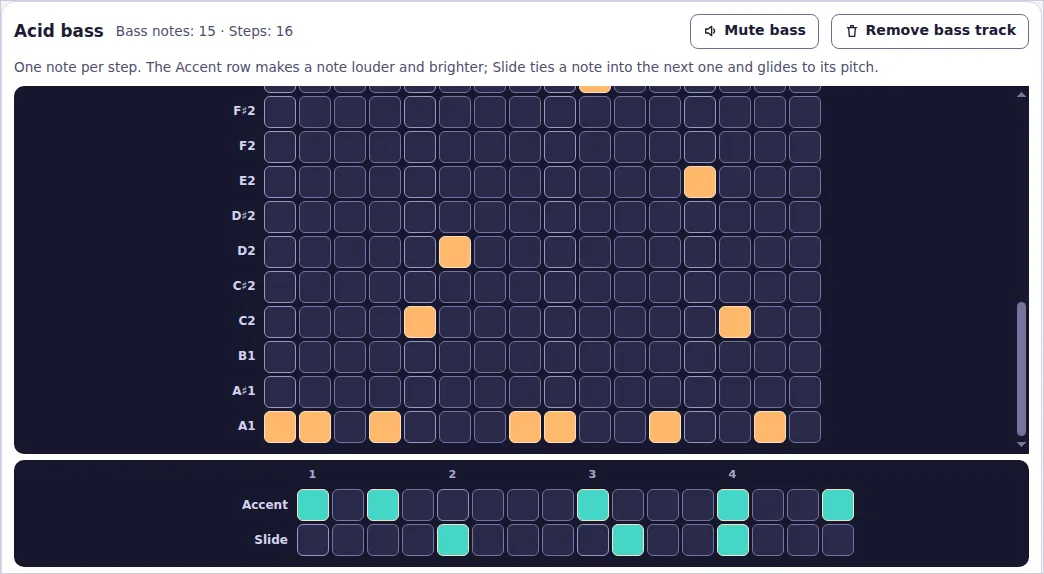
Accent and slide
Under the roll are two rows of switches:
- Accent makes a note louder and opens the filter further for a short moment, so it "barks". Set Accent strength to control how much.
- Slide ties a note into the next one: the gate stays open, the pitch glides to the next note and the envelopes do not restart. A slide only has an effect when the next step has a note.
Try this classic figure on a 16-step line: notes on every step, an accent on steps 1, 4 and 9, and a slide on step 6 into a note an octave higher.
Shape the sound
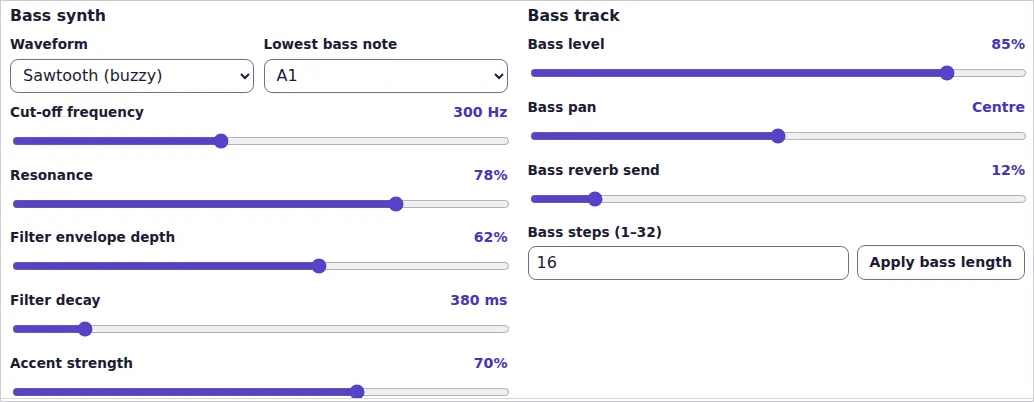
In Bass synth:
- Waveform: Sawtooth (buzzy) or Square (hollow).
- Cut-off frequency: where the filter starts. Low values sound dark and round.
- Resonance: the peak at the cut-off. Near the top it whistles; that is the acid sound.
- Filter envelope depth and Filter decay: how far and how long each note sweeps the filter.
In Bass track you set Bass level, Bass pan, Bass reverb send, and the number of Bass steps (1–32) (press Apply bass length). With fewer bass steps than drum steps, the bass line repeats in its own loop, which creates polyrhythms.
Use Mute bass to compare the beat with and without the bass.
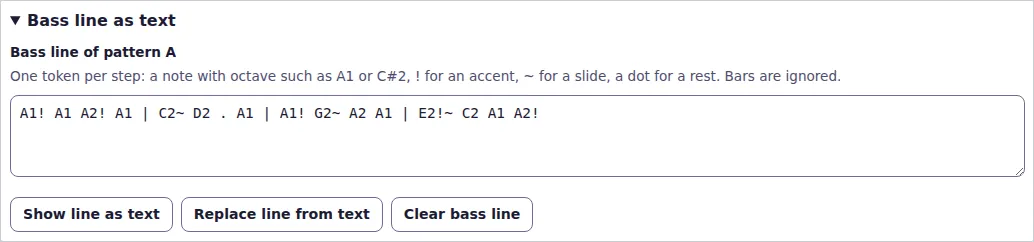
Type a line as text
Open Bass line as text. Write one token per step: a note name with octave (A1, C#2, Eb2 or E♭2), . for a rest, ! after a note for an accent and ~ for a slide, for example:
A1! A1 . A1~ C2 . A1 G2 | A1! . E2~ D2 C2 . A1 .Bars | and spaces are only for reading. The number of tokens must match the bass steps, and every note must lie within two octaves above the Lowest bass note. Press Replace line from text. Show line as text writes the current line into the box.
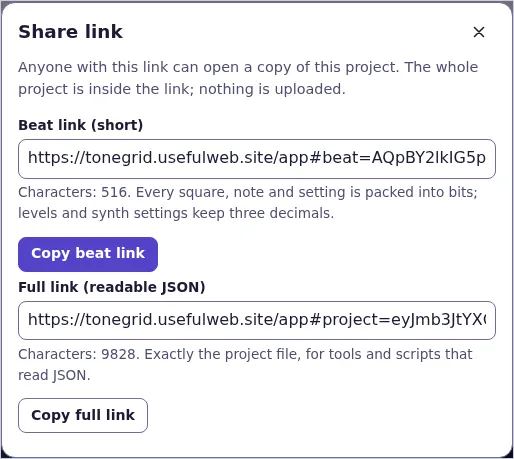
Share the beat as a short link
- Open File → Share link….
- The Beat link (short) packs every square, bass note and setting into bits: an "Acid night" project fits into about 500 characters instead of almost 10 000 for the Full link (readable JSON).
- Press Copy beat link and send it. Opening it loads a copy of the project.
Levels and synth settings in the beat link keep three decimal places; everything else is exact.
Export
Export → WAV, MP3 and MIDI include the bass. In the MIDI file the bass is on channel 2 with the General MIDI program Synth Bass 1, accents become higher velocities and slides become overlapping notes.
Ready to try it?