Tutorial 10 of 15
Design your own drums in the Drum Lab
Intermediate 8 min
Build a kick, snare, hi-hat, clap or tom from a swept tone, filtered noise and metallic overtones, put it on a drum row, and download it as a WAV one-shot.
The built-in drums of Tonegrid are fine for sketching. The Drum Lab lets you make your own. Every sound is calculated from a handful of settings, without recorded samples. The same calculation runs for the preview, for playback, for the WAV export of the song and for the one-shot download, so all four sound identical.
Start from a preset
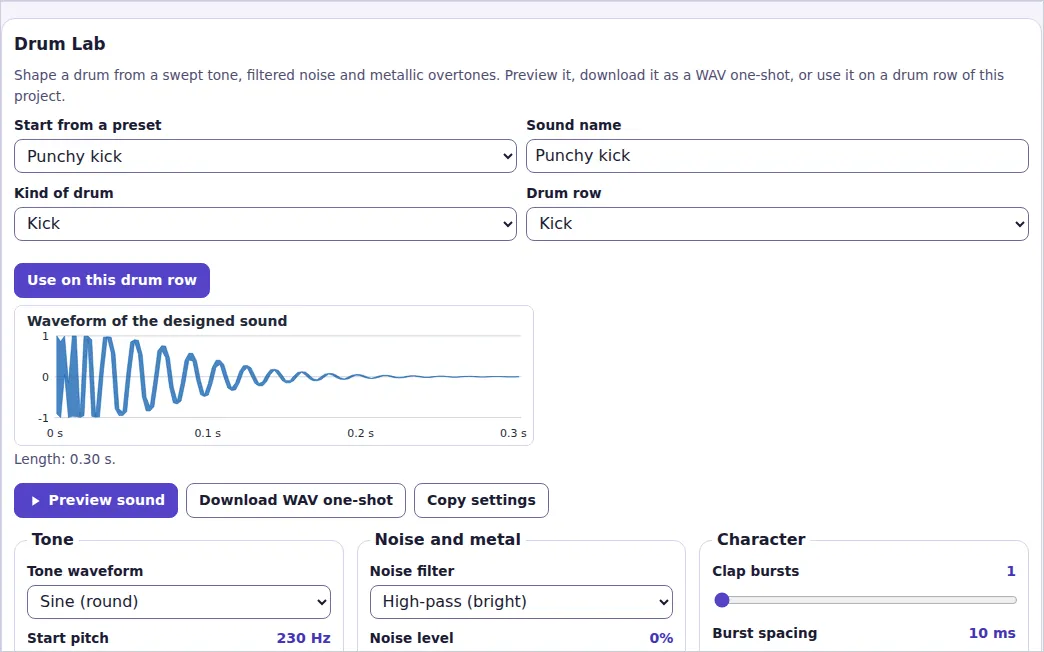
- Click the Drum Lab view tab below the pattern buttons.
- In Start from a preset, pick a sound, for example Punchy kick, Fat snare, Open hi-hat, Hand clap, Low tom or Laser zap. The designer loads its settings.
- Press Preview sound. The waveform below the controls shows the sound you just heard.
Kind of drum (Kick, Snare, Hi-hat, Clap, Tom, Percussion) is a label for your own overview and for file names; the sound itself comes from the settings.
The three layers
Tone is an oscillator whose pitch falls from Start pitch to End pitch within the Pitch sweep time. Tone decay sets how long it rings and Tone level how loud it is. Tone waveform is Sine (round) or Triangle (brighter). A kick is mostly tone: start at about 150 Hz, end at 40–50 Hz, sweep in 0.05–0.1 s.
Noise and metal is the hiss and rattle. Noise level and Noise decay shape the noise, Noise filter chooses Low-pass (dark), Band-pass (focused) or High-pass (bright), and Noise filter frequency with Noise filter resonance (Q) sets where it sits. Metal level and Metal pitch add six square waves at non-harmonic ratios. That gives the clangy shimmer of a hi-hat or cowbell.
Clap bursts repeats the start of the noise a few times, spaced by Burst spacing, like several hands clapping almost together.
Character adds a Click at the start (attack for kicks in a busy mix) and Drive, a soft saturation that makes the sound denser and louder. Level in the mix sets the sound's volume on its drum row.
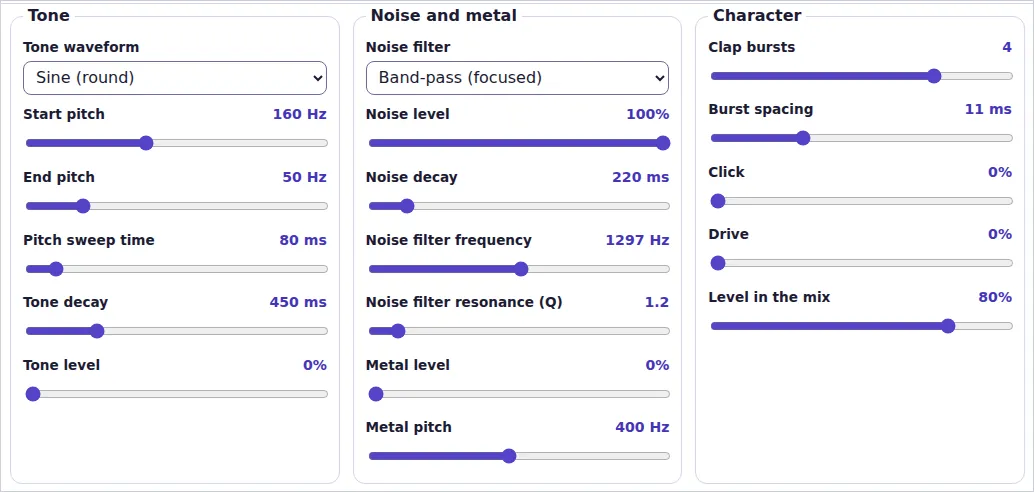
The pitch sliders work on a logarithmic scale, so you have as much room between 40 and 80 Hz as between 2 and 4 kHz.
Use it in your beat
- Give the sound a Sound name.
- In Drum row, choose the row it should play on, for example Kick.
- Press Use on this drum row. The drum grid now shows the new name on that row, and Play uses your sound.
The list Sounds of this project shows what every row plays. Edit loads a row's sound back into the designer. Built-in puts the row's original sound back. All of these steps can be undone with Ctrl+Z.
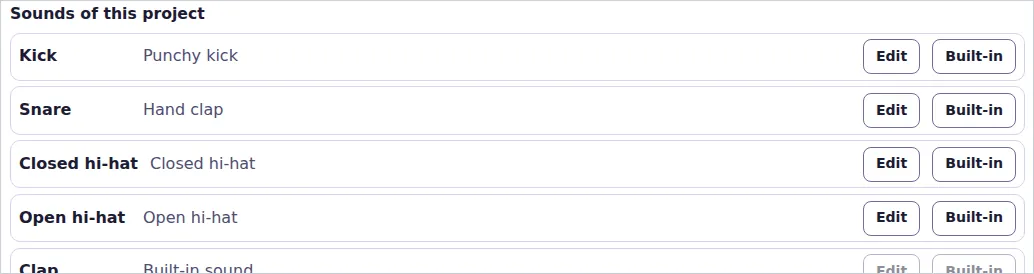
Your sounds are saved in the project, so they travel with project files, share links and beat links.
Download a one-shot
Download WAV one-shot saves the sound as a 16-bit mono WAV file at 44.1 kHz, normalised to -1 dBFS. Load it into any sampler, drum machine app or audio editor.
Copy settings copies the sound's settings as JSON. Paste them into the Drum Synthesizer tool on usefulweb.site to get the same WAV file there, or keep them as a recipe.
Recipes to try
- Long deep kick: Deep kick preset, End pitch 38 Hz, Tone decay 0.9 s, a little Drive.
- Snappy snare: Tight snare, Band-pass noise at about 3 kHz, Noise decay 0.15 s, Tone level lower.
- Closed hat from an open one: Open hi-hat, Noise decay down to 0.05 s.
- Zap: Laser zap, Start pitch up to 3000 Hz, Pitch sweep time 0.2 s.
Ready to try it?